Manage Your Money Smarter with Insights in Online Banking
Taking control of your finances starts with understanding where your money is going. Our Personal Financial Management tool, called Insights, helps you track spending, build budgets, monitor cash flow, and set savings goals all in one place.
How to Access Insights
- Log in to Online Banking.
- Open your Menu.
- Select “Insights.”
Once inside, you can begin exploring your financial picture right away.
See Your Spending at a Glance
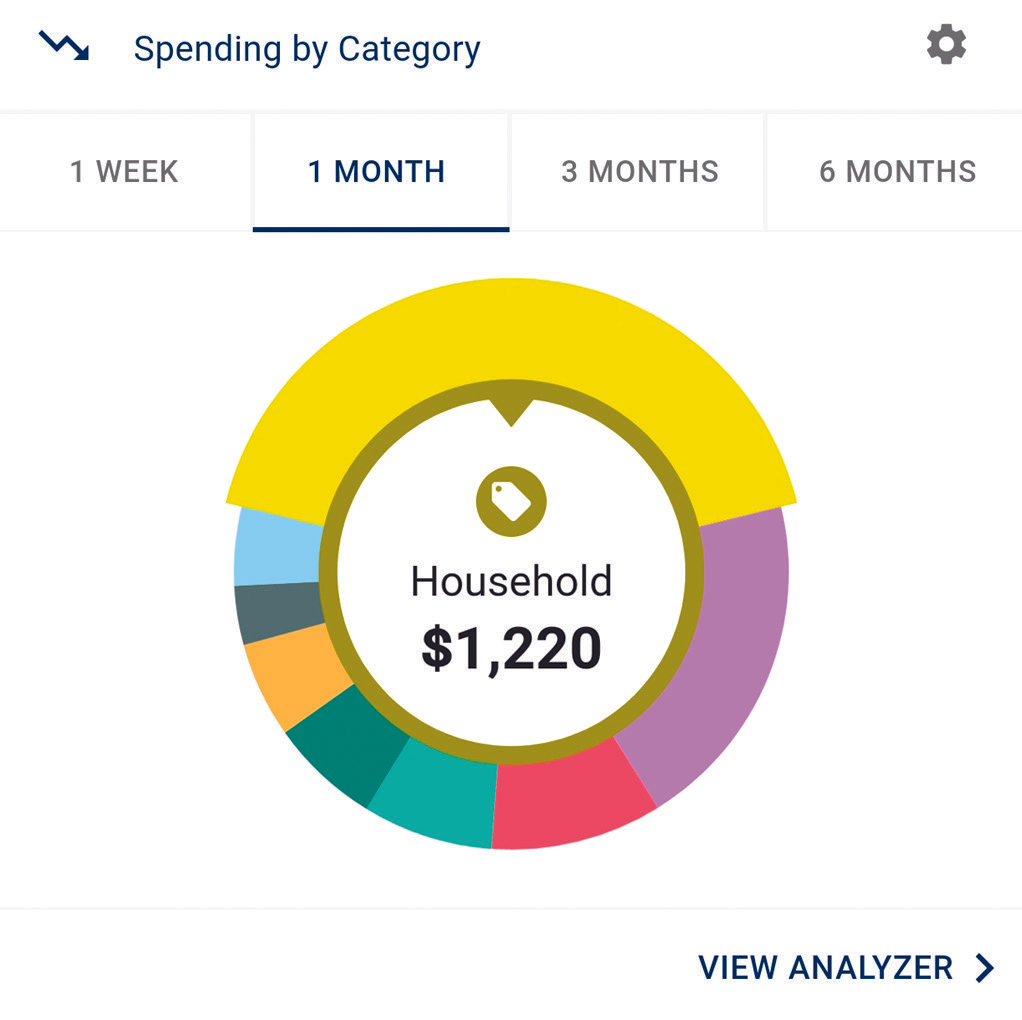
Your dashboard displays your top spending category each month in an easy to read spending wheel.
To explore your insights:
- Click different sections of the spending wheel to see your spending breakdown.
- Transactions are automatically sorted into categories using tags.
- Click on any transaction to:
- Edit or personalize the category tag
- Split the transaction between categories
- Rename the transaction
- Create a budget tied to that category
- Add it as a recurring item in your Cash Flow Calendar
These insights are based on your real spending habits, helping you build a more accurate and realistic budget.
Set a Budget That Fits Your Life
To create your personalized spending plan:
- Navigate to the Budgets Progress tile.
- Select View Budget.
- Click Add Budget.
- Enter your monthly spending target and name your budget category.
- Choose the transaction tags you want included in that budget.
You can monitor your progress in real time and adjust as needed.
Track Your Cash Flow
Understanding what is coming in and going out each month helps you stay in control.
- Navigate to the Cashflow section.
- Click the plus sign to add income or bills.
- Enter your monthly amounts to calculate your net cash flow.
This gives you a clear picture of how much money remains after your expenses.
Create and Reach Savings Goals
Whether you are saving for a vacation, building an emergency fund, or paying down debt, you can set up customized goals.
- Go to the Goals section and select Add Goal.
- Choose a savings or payoff goal.
- Enter the goal name, select the accounts you want to use, and choose your target date.
- Click Save.
Your goal summary will show your projected completion date and the amount you need to save each month. Your progress updates automatically based on your balances.
Connect All Your Accounts
For a complete financial picture, you can securely link accounts from other financial institutions.
- Navigate to the Accounts section.
- Click the plus sign to Add Linked Account.
- Search for your other institution and follow the prompts to connect.
Log in to Online Banking today, open your Menu, and select Insights to start managing your money with greater clarity and confidence. If you have questions, our team is here to help.